Organizations
Organizations are the core tenancy model in Servala. Everything you do in the portal - provisioning services, managing instances, inviting team members - happens within the context of an organization.
What is an organization?
An organization is a container that groups together:
- Service instances: all provisioned services belong to an organization
- Team members: users are invited to an organization with specific roles
- Billing: each organization has an associated billing entity
You can be a member of multiple organizations and switch between them in the portal.
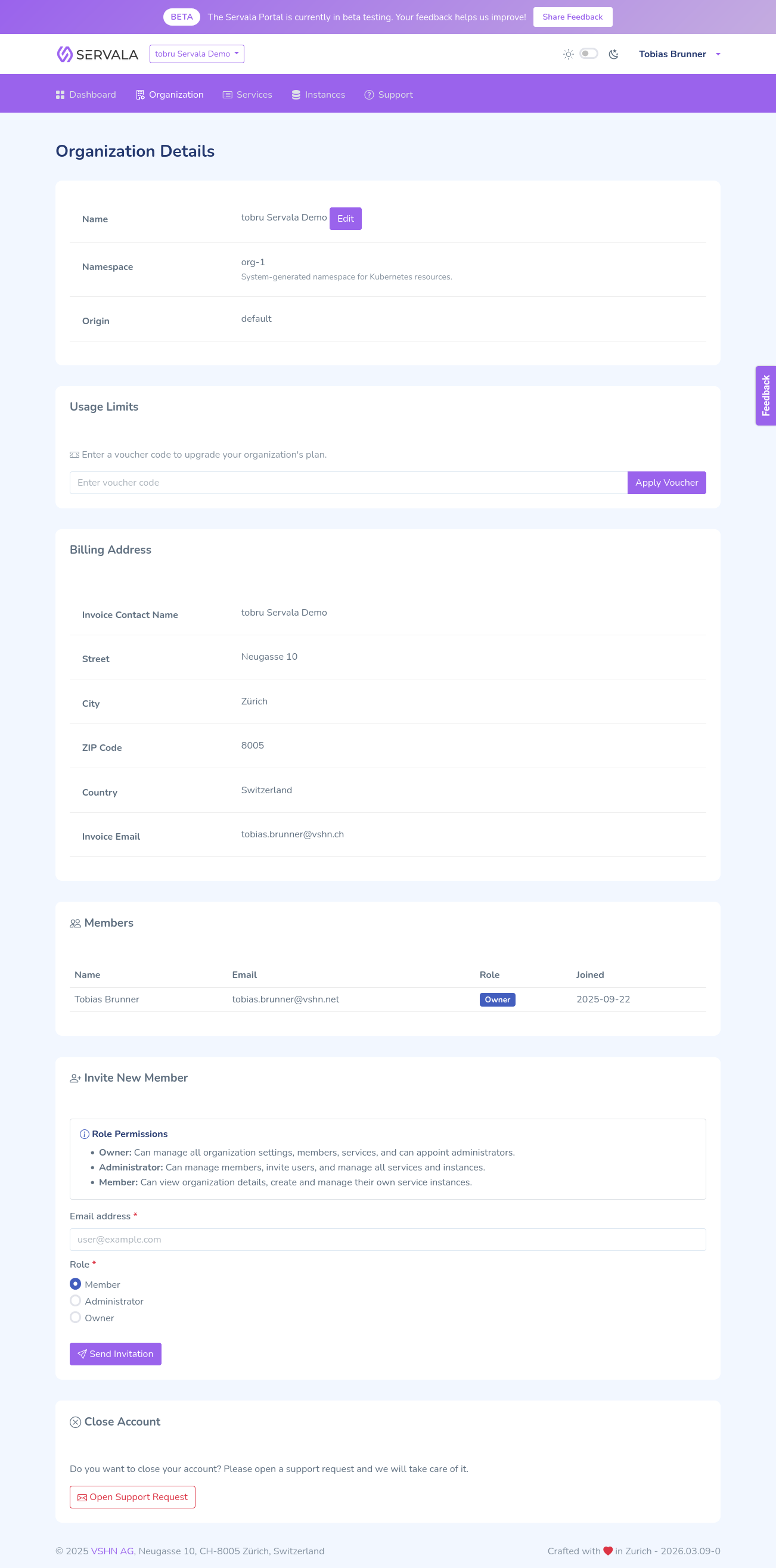
Membership roles
Each member of an organization has one of three roles:
| Role | Permissions |
|---|---|
| Member | View services and instances, provision and manage instances |
| Administrator | All Member permissions, plus manage members and organization settings, view the audit log, reveal backup credentials, and restore an instance from a backup |
| Owner | All Admin permissions, plus delete the organization and manage billing |
Switching organizations
If you belong to multiple organizations, you can switch between them using the organization selector in the portal navigation. Your current organization context determines which services and instances you see.
Audit log
Every organization keeps an audit log that answers "who changed what in this organization". Administrators and owners find it under Organization > Audit log in the portal navigation. Each entry is a sentence in plain language, such as "Alice Meier invited carol as Administrator" or "Bob Frei changed the settings of PostgreSQL instance main (si-5678efgh)", with the timestamp in your local time zone. Entries that changed fields expand to a Details table listing each field with its value before and after the change.
The log records:
- Organization: changes to the organization name, currency, billing entity, acceptance of the terms and conditions, and changes to the limits or validity period that apply to the organization.
- Members: invitations sent, accepted, and revoked, members added and removed, and role changes.
- Instances: instances created, changed, and deleted, edits to their service configuration (with the changed fields before and after), and pause and resume. A restore is recorded as its own entry naming the source instance and the restore point, rather than as a plain "created" entry. Muting and unmuting an alert is recorded with the alert name, the duration, and the reason.
- Access: reveals of backup credentials and support sessions in which Servala staff acted on your behalf.
Use the category tabs at the top of the page to narrow the list, and the pagination at the bottom to go further back. The full history is kept; there is no cutoff.
A few things to know when reading the log:
- Support sessions are visible. When Servala staff act on your organization from outside it, the entry is attributed to "Servala Support". Where support acted as one of your users, the entry reads "Servala Support (as Alice Meier)". Staff who are themselves members of your organization appear under their own name.
- Names are resolved when you load the page, not stored with the event. If a user is renamed, or a staff member joins or leaves your organization, earlier entries follow suit. The underlying record is not changed.
- Automatic actions with no human behind them, such as an instance paused at the end of a trial, are attributed to "System".
- Changes made outside the portal (for example by the platform itself during maintenance) are not recorded, because there is no user to attribute them to.
- Service configuration edits are recorded from the introduction of the audit log onwards. Earlier configuration changes cannot be reconstructed.
Organization origins
Some organizations are created through specific channels (e.g., a cloud provider marketplace). The origin of an organization can determine:
- Which cloud providers and services are available
- How billing is handled
- Default settings and configurations